Elgato 4K Pro Review — The Internal Capture Card I Actually Run
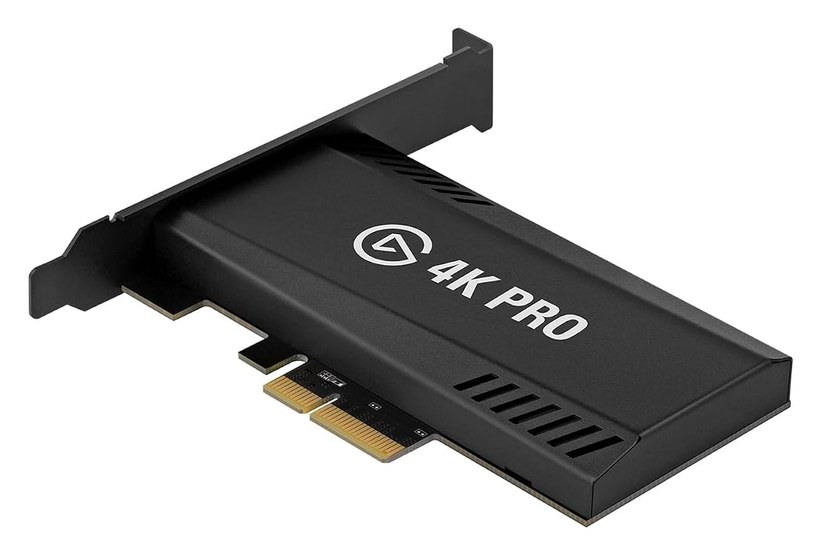
If you’re capturing console gameplay in 4K/60 HDR, the capture card is the single most important — and most misunderstood — piece of the chain. Get it wrong and you lose HDR, add input lag, or drop frames over long sessions. The Elgato 4K Pro is the card recording every playthrough on the channel, and here’s the honest breakdown of why, plus the one thing to check before you buy.
Internal vs external — why it matters
The 4K Pro is an internal PCIe card, and that’s the whole pitch. External USB capture cards share bandwidth and can introduce latency or hit limits over long recordings. Sitting on the PCIe bus, an internal card gets a dedicated, high-bandwidth lane — which in practice means rock-solid 4K60 HDR10 capture for hours without the drops or bandwidth ceilings you can run into on USB.
For someone doing multi-hour hard-difficulty playthroughs, “does it stay stable for six hours straight” matters more than any spec on the box. This card does.
What it does well
- 4K60 HDR10 capture that keeps the signal looking like the game — the black levels and highlights survive, which is the entire reason to shoot HDR.
- 8K60 passthrough headroom, so it passes the console signal straight to my OLED with no meaningful lag. I’m playing on a real HDR panel while it records in the background.
- Ultra-low latency, so what I see and react to matches what’s being captured.
- Clean integration with the Elgato 4K Capture Utility and OBS — it just shows up and works, and the software doesn’t fight you.
The one catch before you buy
This is an internal card, so you need a desktop PC with a free PCIe slot. If you’re on a laptop or a mini-PC, this isn’t the one for you — that’s exactly the case where I reach for the Elgato 4K X instead (external, HDMI 2.1, 4K144, low latency). Same clean capture, no slot required, at the cost of a USB connection.
So the decision is really: desktop with a slot → 4K Pro. Anything else → 4K X.
Who it’s for
The 4K Pro is for anyone serious about recording or streaming console gameplay at full quality from a desktop — creators who care that the capture looks like the game, and who run long enough sessions that stability actually matters. If you’re capturing casually or occasionally, an external card is simpler and perfectly fine. If capture quality and rock-solid uptime are the point, the internal route is worth it.
The verdict
It’s the least glamorous piece of my setup and one of the most important — a capture card you install once and then forget about, which is the highest compliment you can pay one. It holds 4K60 HDR cleanly for as long as I record, passes a lag-free signal to my display, and doesn’t make me think about it. That’s exactly what you want from capture.
It’s the capture card in my full 4K/60 HDR setup. Exact model (plus the 4K X external option) is on my gear page — affiliate links that support the channel at no cost to you.
Internal or external for your setup? If you’re unsure which fits your PC, ask and I’ll point you the right way.
Never miss the next big drop
Get our best gaming & Marvel stories in your inbox. No spam, unsubscribe anytime.
🎉 You're in! Check your inbox for a welcome email.